Accessing Plasmic through MCP
MCP stands for “Model Control Protocol”. It’s a standard protocol for AI assistants to interact with external tools and applications in a structured way. With MCP, an AI assistant can send commands to control an application, read its state, and make changes based on the user’s instructions.
You can control Plasmic through any AI agent IDE or chat that supports MCP servers, including but not limited to:
- Claude Code
- Codex
- Cursor
- VS Code Copilot
- Antigravity
- Windsurf
Getting started
For the full setup steps, including prerequisites, MCP configuration, and skill installation, see the public README:
Plasmic MCP setup guide on GitHub
Supported actions
With the help of MCP, your agent can do almost anything that you can do visually in Plasmic Studio, such as:
- open a Plasmic project in Studio
- inspect existing elements, components, tokens, variants, breakpoints, animations and etc.
- create new pages, components, and sections
- restyle or refine existing elements
- make iterative changes that you can immediately review in the canvas
- batch create or modify existing tokens and design values
How does this work?
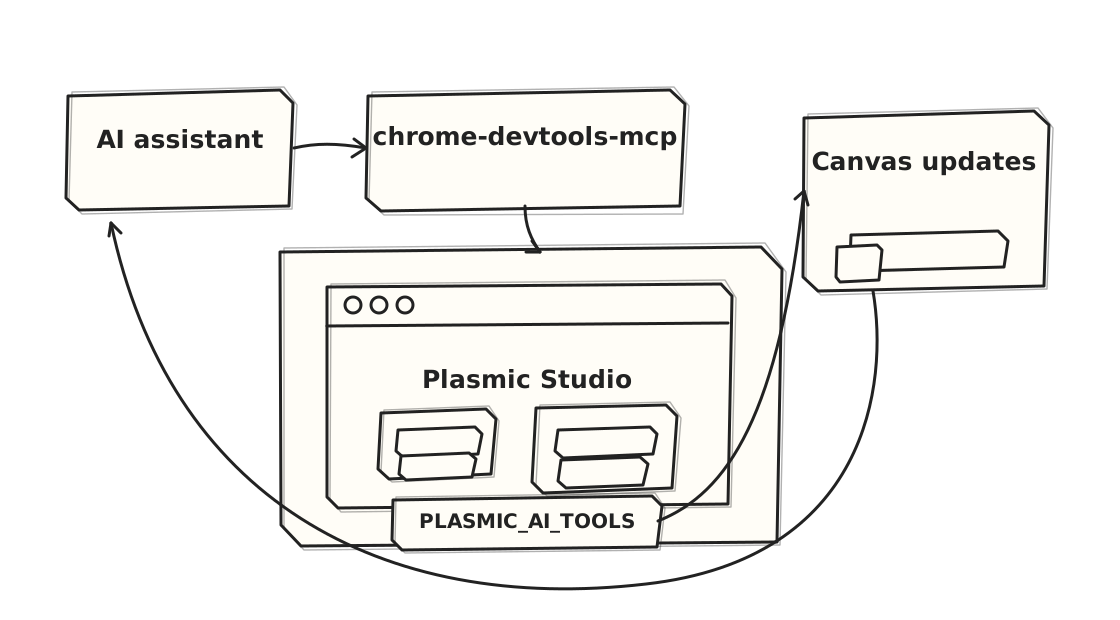
In practice, your AI assistant connects to Chrome through chrome-devtools-mcp, opens your Plasmic project, and then uses Plasmic’s browser-side PLASMIC_AI_TOOLS API to read and edit the project directly in Studio.
This is useful when you want your AI agent to work with the project you already have instead of generating one-off code. A good agent can read your existing components, tokens, breakpoints, and layouts first, then create or update pages and sections in a way that stays closer to your current design system.
Example
To find your project’s ID and public API token: open the project in Plasmic Studio.
The project ID is in the URL, like: https://studio.plasmic.app/projects/PROJECTID.
Once chrome-devtools-mcp and the plasmic-designer skill are installed, a first request can be as simple as:
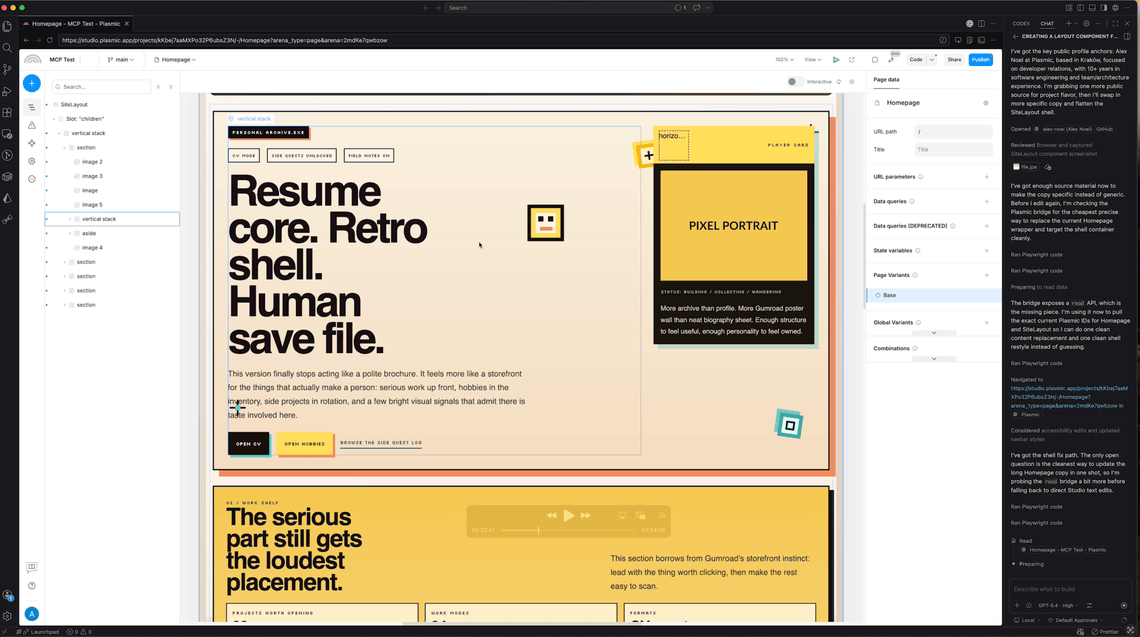
/plasmic-designer YOUR_PROJECT_ID Create my personal website homepage. It should contain a navbar, banner, section about my work, my pet projects, my hobbies, CV and footer.
Next steps
Plasmic MCP is at an early stage, and we’re actively improving the experience. If you’re interested in using or contributing to Plasmic MCP, please reach out to us on Discord or GitHub!