WordPress integration
WordPress content can be queried from Plasmic with the WordPress integration. This integration is useful for listing and rendering WordPress content such as posts with built-in pagination and sorting controls.
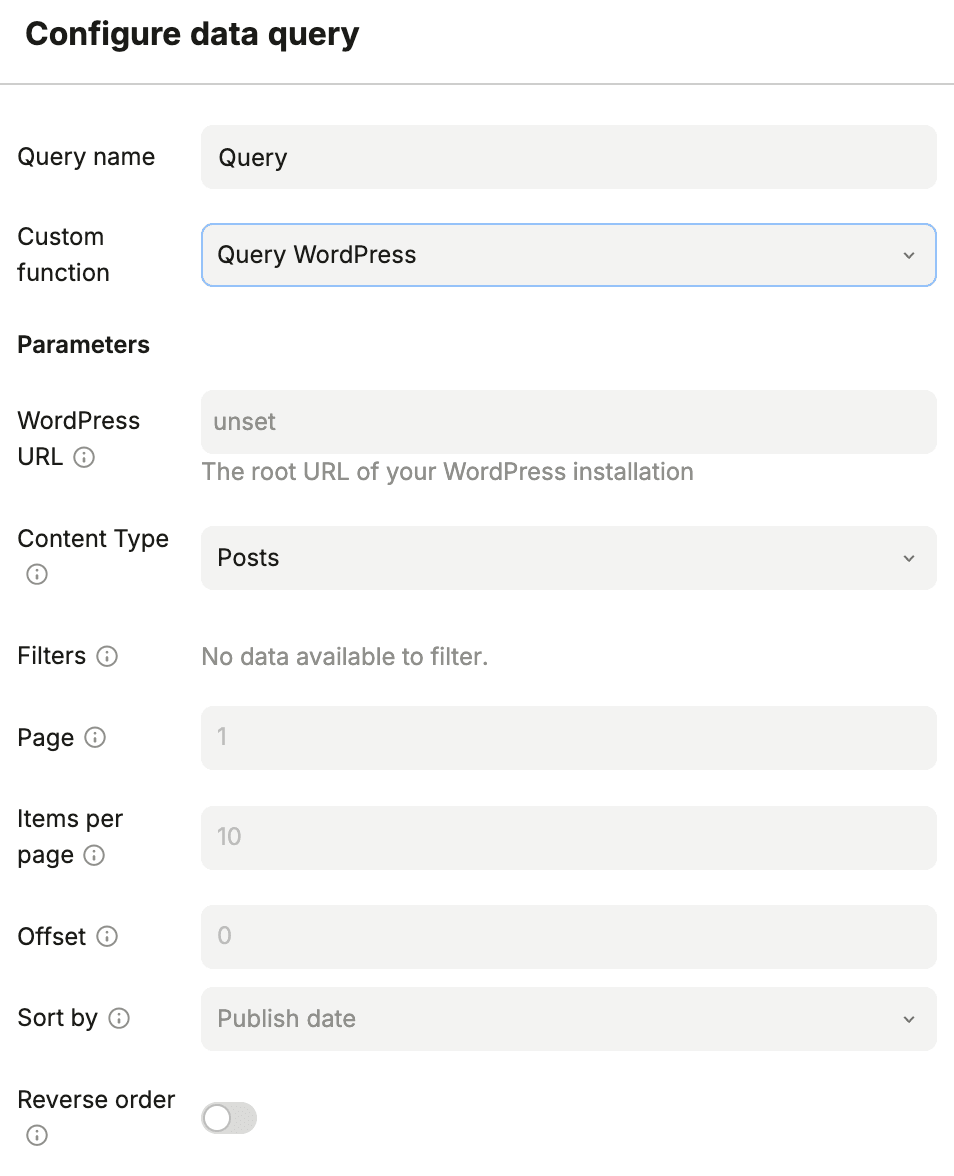
Getting started
- In Page Data or Component Data, add a new data query and set a query name.
- Set Custom function to
Query WordPress. - Fill the parameters from the table below.
- Execute and save the query.
Parameters
| Field | Description | Required? |
|---|---|---|
| WordPress URL | Root URL of your WordPress installation. | Required |
| Content Type | Content type to query (for example Posts). | Required |
| Filters | Conditions to filter the results. | Optional |
| Page | Page number to fetch. | Optional |
| Items per page | Number of items returned per page. | Optional |
| Offset | Number of records to skip. | Optional |
| Sort by | Sorting field. | Optional |
| Reverse order | Toggle descending order. | Optional |
Is this page helpful?
NoYes