Plasmic CMS integration
The Plasmic CMS integration lets you query your data from CMS directly using data queries. It provides dedicated functions for listing tables, fetching table content, and counting matching rows.
Note
This integration provides read-only access to your CMS data. To modify your CMS data, please use the CMS API combined with custom data queries.
Getting started
- In Page Data or Component Data, add a new data query and set a query name.
- Set Custom function to
Fetch Plasmic CMS .... - Create the data tokens for your CMS credentials (can be found in your Plasmic CMS settings)
- Fill the
Cms IDandCms public tokenfields with the corresponding data tokens you created. - Fill the parameters from the table below based on the selected function.
- Execute and save the query.
Optionally, you can also fill the Host field with a custom CMS host URL, but for most users this needs to be left as the default.
Functions
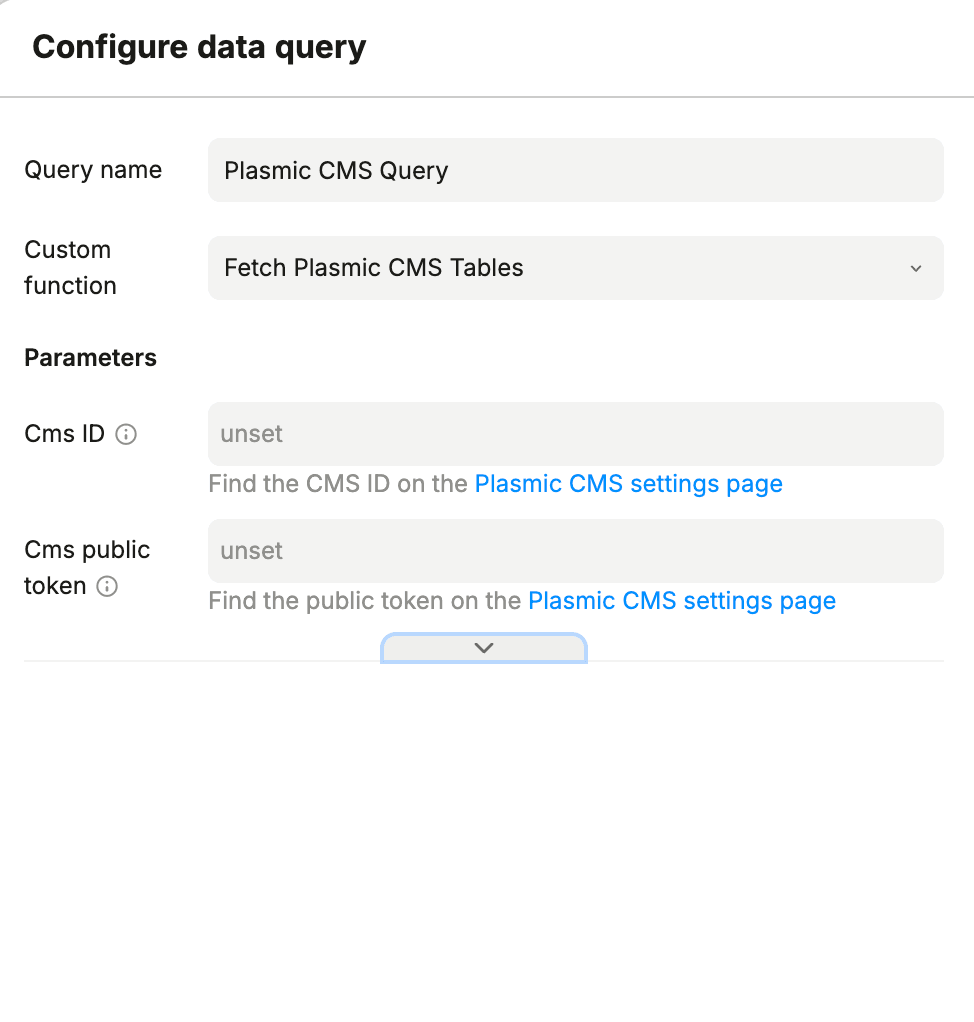
Fetch Plasmic CMS Tables
Returns a list of tables in the CMS, along with their metadata such as field names and types.
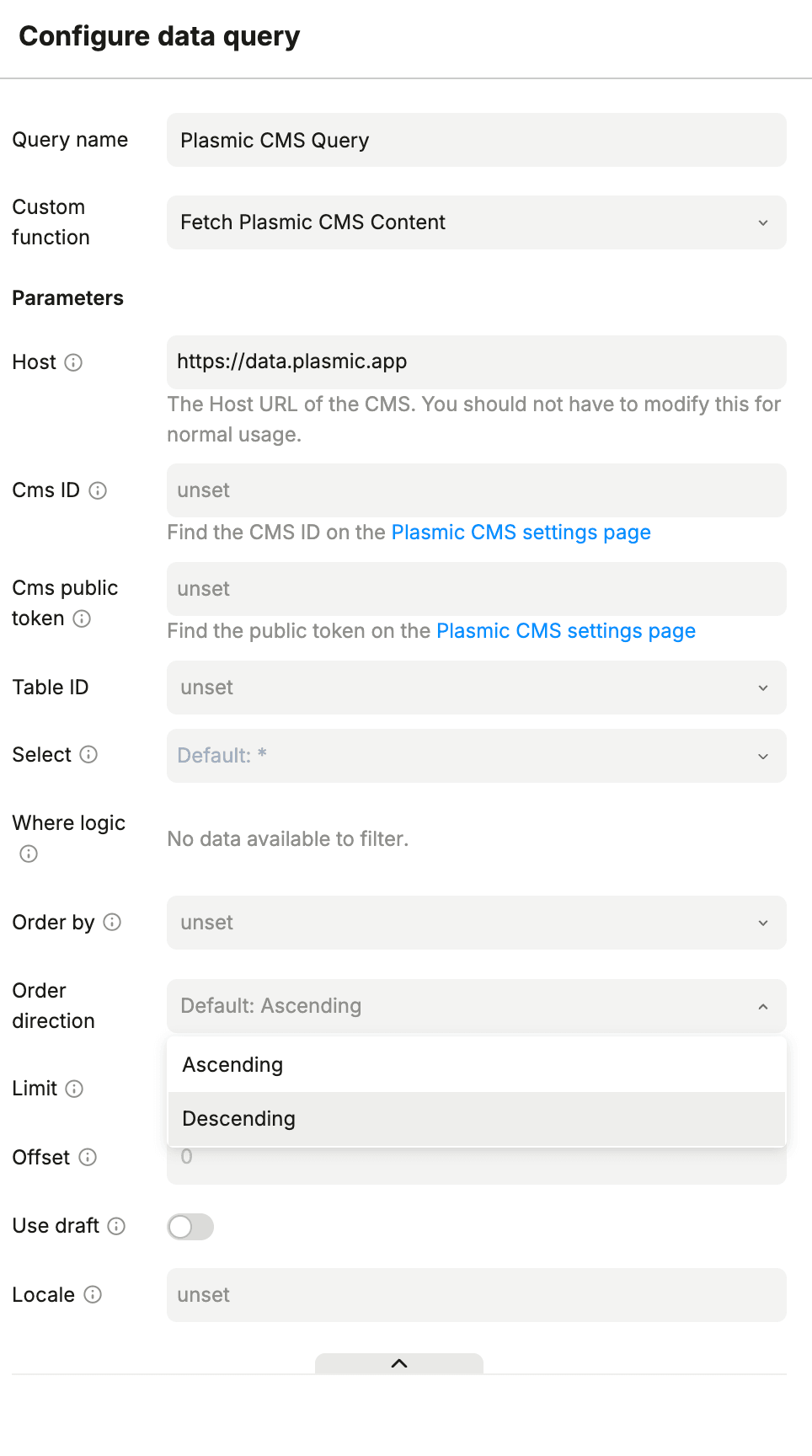
Fetch Plasmic CMS Content
Returns items from a specified CMS table.
Parameters
| Field | Description | Required? |
|---|---|---|
| Table ID | CMS table/model to query. | Required |
| Select | Fields to return. | Optional |
| Where logic | Filters. | Optional |
| Order by | Field to sort by. | Optional |
| Order direction | Sort direction (Ascending or Descending). | Optional |
| Limit | Maximum number of records to return. | Optional |
| Offset | Number of records to skip. | Optional |
| Use draft | Toggle to include draft records. | Optional |
| Locale | Locale code for localized content. | Optional |
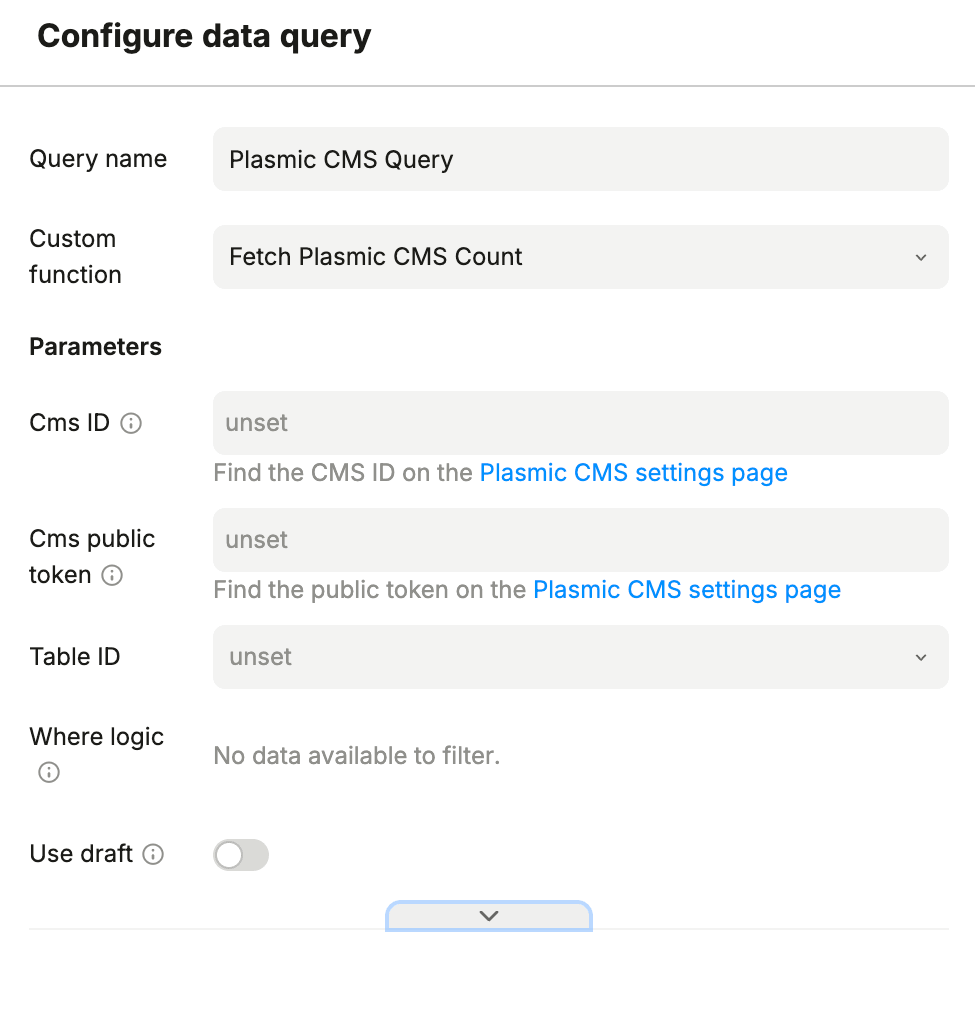
Fetch Plasmic CMS Count
Returns the number of items in a specified CMS table that match the optional filters.
Parameters
| Field | Description | Required? |
|---|---|---|
| Table ID | CMS table/model to count. | Required |
| Where logic | Filters. | Optional |
| Use draft | Toggle to include draft records. | Optional |
Is this page helpful?
NoYes